9 free alternatives to paid tools for faceless shorts (2026)
Every paid tool in a faceless-shorts workflow has a free swap. Here's the US price, the free alternative, and what the free version really can't do.

Affiliate disclosure: this page contains affiliate links. If you sign up for a paid plan through them, we earn a commission at no extra cost to you.
In this guide · 11 sections
- ·All 9 swaps at a glance
- 01Script writing: Jasper → ChatGPT Free
- 02AI voiceover: ElevenLabs → CapCut text-to-speech
- 03Auto captions: Submagic → Instagram Edits
- 04Long video → clips: OpusClip Starter → OpusClip Free
- 05Stock B-roll: Storyblocks → Pexels (or Pixabay)
- 06Video editing: Adobe Premiere → DaVinci Resolve
- 07Scheduling posts: Later → Buffer Free
- 08Screen recording: Camtasia → OBS Studio
- 09Thumbnails & covers: Canva Pro → Photopea (or Canva Free)
- ·Start free, pay when a limit slows you down
Came from the "FREE vs PAID" post? Here are all 9 swaps — the 7 from the carousel plus 2 more — with what each free plan really includes. Prices are US prices from each tool's official pricing page, checked November 6, 2026.
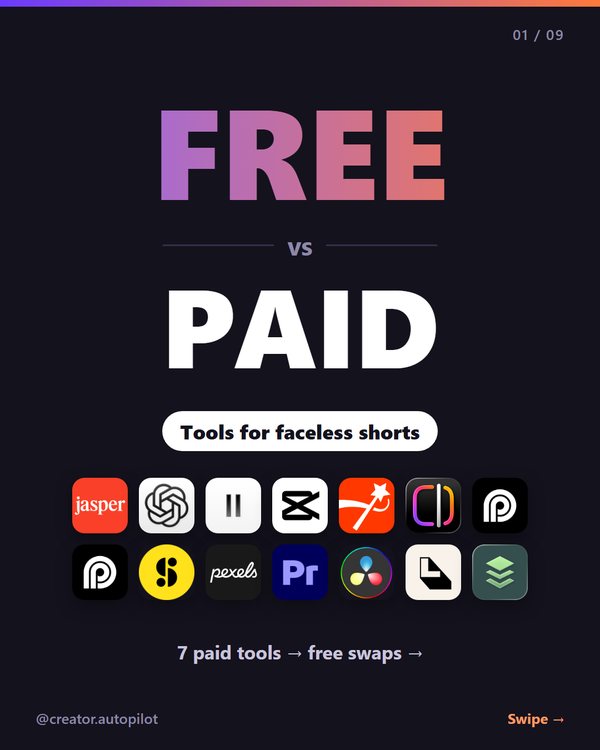
All 9 swaps at a glance
| Job | Paid → free swap | Free version's limit |
|---|---|---|
| 1. Script writing | Jasper Pro $69/mo → ChatGPT Free | Limited uploads, image creation and advanced features |
| 2. AI voiceover | ElevenLabs Starter $6/mo → CapCut text-to-speech | Use within CapCut's terms of use |
| 3. Auto captions | Submagic Starter $19/mo → Instagram Edits | Captions are made inside the Edits app |
| 4. Long video → clips | OpusClip Starter $15/mo → OpusClip Free | 60 credits/mo, watermark, no editing, export within 3 days |
| 5. Stock B-roll | Storyblocks $21/mo (billed yearly) → Pexels / Pixabay | Smaller library; don't resell unaltered clips |
| 6. Video editing | Adobe Premiere $22.99/mo (annual plan) → DaVinci Resolve (free) | Up to UHD 3840×2160 at 60fps; some features are Studio-only |
| 7. Scheduling | Later Starter $25/mo → Buffer Free | 3 channels, 10 scheduled posts per channel |
| 8. Screen recording | Camtasia Essentials $179.88/yr → OBS Studio | Recording only — edit elsewhere |
| 9. Thumbnails & covers | Canva Pro $18/mo ($144/yr) → Photopea (or Canva Free) | More manual design work |
01Script writing: Jasper → ChatGPT Free
Paid: Jasper Pro is $69 per seat per month billed monthly, or $59 billed yearly. There's no free plan, only a 7-day free trial.
Free swap: ChatGPT's Free plan costs $0. Text chats aren't capped the way uploads are, but uploads, image creation and features like deep research are limited on Free.
When paying makes sense: if you write scripts for a team and want Jasper's marketing workflow.
ChatGPT plans (official) · Jasper pricing
02AI voiceover: ElevenLabs → CapCut text-to-speech
Paid: ElevenLabs Starter is $6 a month (about $5 a month billed yearly; a $1 first-month offer was shown on November 6, 2026) and includes a commercial license. The ElevenLabs free plan doesn't include one, so it isn't a safe pick for monetized videos.
Free swap: CapCut's text-to-speech page says it converts text to speech "free of charge," and its FAQ says the audio can be used commercially — ads, YouTube videos, brand promotions — as long as you follow CapCut's terms of use.
When paying makes sense: if you want more voices and more control over how they sound.
CapCut text-to-speech (official) · ElevenLabs pricing
03Auto captions: Submagic → Instagram Edits
Free swap: Instagram's Edits app is free on the App Store (with in-app purchases). To caption a video: open a project, tap Captions, choose the language, style and transcription settings, then tap Generate Captions. If you only post to Instagram, that may be all you need.
Paid: Submagic Starter is $19 a month, or $12 a month billed yearly: about 15 videos a month, up to 2 minutes each, 1080p, no watermark. There's no free plan, but you can try it without a credit card.
What we saw in Submagic's free trial (November 5, 2026): we uploaded a 26-second faceless test short and the editor was ready in about 16 seconds. Generate Captions added word-by-word captions; the Style tab switches the whole look in one click, with accent-colored words and an Emojis tab; the Captions tab lets you fix any word. One catch: the trial can't export — pressing Export opened a "Choose a plan to export it" screen (details here).
When paying makes sense: you post the same short to TikTok, Shorts and Reels and want one styled, burned-in MP4 instead of captioning it three times in three apps.
Try Submagic's captions free →No credit card · watermark-free export from Starter ($12/mo billed yearly)How to add captions in Edits (Instagram Help)
04Long video → clips: OpusClip Starter → OpusClip Free
Paid: OpusClip Starter is $15 a month (monthly billing only). Pro is $29 a month, or $14.50 a month billed yearly.
Free swap: OpusClip's own free plan: 60 credits a month and up to 1080p clips — but clips carry a watermark, there's no editing, and after 3 days clips can no longer be exported.
When paying makes sense: when the watermark matters or you need to edit the clips before posting.
05Stock B-roll: Storyblocks → Pexels (or Pixabay)
Paid: Storyblocks Essentials is $21 a month, billed annually (the page doesn't show a month-to-month price).
Free swap: Pexels says all photos and videos are free to use and attribution isn't required. The main rule: don't sell unaltered copies. Pixabay's license works the same way.
When paying makes sense: when the free libraries don't have the niche footage you need.
Pexels license · Pixabay license · Storyblocks pricing
06Video editing: Adobe Premiere → DaVinci Resolve
Paid: Adobe Premiere is US$22.99 a month on an annual plan billed monthly, with a 7-day free trial.
Free swap: DaVinci Resolve's free version works with up to Ultra HD 3840 × 2160 at 60fps — more than enough for 1080×1920 shorts. The paid DaVinci Resolve Studio is a one-time purchase ($295 regular; $236 on sale on November 6, 2026).
When paying makes sense: if your team already works in Adobe apps, or you need Studio-only features.
DaVinci Resolve (official) · Premiere plans
07Scheduling posts: Later → Buffer Free
Paid: Later Starter is $25 a month, or $18.75 a month billed yearly. No free plan; a 14-day free trial.
Free swap: Buffer's free plan connects up to 3 channels with 10 scheduled posts per channel (refill anytime).
When paying makes sense: more than 3 accounts, or you schedule more than 10 posts ahead per channel.
Buffer pricing (official) · Later pricing
08Screen recording: Camtasia → OBS Studio
Paid: Camtasia Essentials is $179.88 a year in TechSmith's US store (a smaller Starter plan is $39 a year). Prices show in local currency outside the US.
Free swap: OBS Studio is free, open-source software for video recording and live streaming. It records your screen well; you'll edit the recording in another app (DaVinci Resolve from #6 works).
When paying makes sense: if you want recording and editing in one app.
OBS Studio (official) · Camtasia store
09Thumbnails & covers: Canva Pro → Photopea (or Canva Free)
Paid: Canva Pro is US$18 a month or US$144 a year for one person.
Free swap: Photopea is a free online photo editor that runs in your browser. If you prefer templates, Canva's free plan ($0) is still there.
When paying makes sense: if you rely on Canva's premium templates and Pro features.
Start free, pay when a limit slows you down
None of these free tools is a trap — they're just capped. A simple rule: run your first 10–20 shorts on the free stack. When one specific limit costs you real time every week (watermarks, a cap you keep hitting, captions you redo three times), upgrade that one tool, not the whole stack.
Submagic's free trial (November 5, 2026) is the only tool on this list we tested hands-on for this guide. Everything else comes from each tool's official pricing or help pages, checked November 6, 2026. Prices change and can differ by country — check before you buy.
FAQ
Q. Can you run a faceless shorts channel with only free tools?
Mostly, yes. Every step — script, voice, captions, clips, B-roll, editing, scheduling, screen recording and thumbnails — has a free option. The trade-off is limits: watermarks (OpusClip Free), caps (Buffer Free: 3 channels, 10 scheduled posts per channel), or more manual work. Start free and pay only when a limit actually slows you down.
Q. Is CapCut text-to-speech free for commercial use?
CapCut's text-to-speech page says it converts text to speech free of charge, and its FAQ says the audio can be used for commercial purposes such as ads, YouTube videos and brand promotions, as long as you follow CapCut's terms of use.
Q. Can I use the ElevenLabs free plan for monetized videos?
The free plan doesn't include a commercial license. On ElevenLabs' pricing page, the commercial license starts with Starter ($6/month, about $5/month billed yearly).
Q. What is the cheapest way to add captions to shorts?
Instagram's Edits app is free (in-app purchases exist) and can generate captions: open a project, tap Captions, choose the language and style, then tap Generate Captions. If you want one-click styled captions and emoji styles you can post anywhere, Submagic Starter is $19/month or $12/month billed yearly.
Q. Does OpusClip's free plan add a watermark?
Yes. OpusClip's pricing page lists the free plan as 60 credits per month, up to 1080p, with a watermark and no editing, and says clips can no longer be exported after 3 days.
Read next
Submagic free trial: can you export without a watermark? What we saw (2026)We tried Submagic's free trial: captions and preview worked, but every Export opened a 'Choose a plan to export it' screen. Here's what the help center says, the cheapest watermark-free plan ($12/month billed yearly), and what to test before you pay — there are no refunds.CapCut auto captions now need Pro? What we saw, what it costs, and your options (2026)On CapCut desktop, the auto captions Generate button now carries a Pro badge, and CapCut's help says projects with Pro features need Pro to export. Free exports also keep a CapCut watermark — the Remove watermark switch is Pro. Pro is $19.99/month. Here are the free in-app caption tools on TikTok, YouTube and Instagram, and when a caption-only tool like Submagic costs less.- Jasper pricing
- ChatGPT pricing
- ElevenLabs pricing
- CapCut text-to-speech
- Submagic pricing
- Instagram Help: Add captions on Edits
- Edits on the App Store (US)
- OpusClip pricing
- Storyblocks pricing
- Pexels license
- Pixabay license summary
- Adobe Premiere plans
- DaVinci Resolve
- Later pricing
- Buffer pricing
- OBS Studio
- TechSmith Camtasia store
- Canva pricing
- Photopea
All prices are US prices from each official pricing page, checked November 6, 2026 (Camtasia's USD price from TechSmith's own US checkout). Submagic tested on its free trial on November 5, 2026; the other tools are from official pages, not our own tests. Prices change — check before you buy.